HVAC Tips
How to Reset a Heat Pump (Step-by-Step Guide for Bay Area Homeowners)
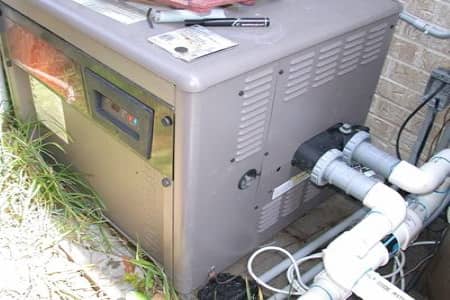
If your home isn’t cooling properly or your thermostat isn’t reaching the set temperature, a simple heat pump reset may help restore performance.
This guide walks you through a safe, step-by-step reset process, along with quick checks to help you avoid common issues.
Why Resetting Your Heat Pump Can Help
Your heat pump relies on sensors and control systems to operate efficiently. Power interruptions, thermostat issues, or airflow problems can sometimes cause the system to stop working properly.
A reset can help:
- Clear temporary system errors
- Restore communication between components
- Get your cooling back on track
Before resetting, check these basics:
- Replace a dirty air filter
- Make sure vents are open and unblocked
- Set your thermostat to Cool and lower than room temperature
- Check that breakers are not tripped
Step-by-Step: How to Reset Your Heat Pump
Follow this simple and safe process:
- Turn your thermostat Off
- Switch off power at the breaker for both the indoor and outdoor units
- Wait 5 minutes
- Turn power back on (indoor unit first, then outdoor unit)
- Wait 2–3 minutes for the system to restart
- Set thermostat to Cool and lower the temperature
Let the system run for about 10–15 minutes. You should feel steady, cool airflow.
When a Reset Won’t Fix the Problem
If your system still isn’t working properly, the issue may need professional repair.
Common signs include:
- Weak airflow from vents
- Outdoor unit not turning on
- System turning on and off frequently
- Ice buildup on the unit
- Breaker keeps tripping
These can point to airflow restrictions, electrical issues, or refrigerant problems.
Resetting Ductless Mini-Split Systems
For ductless systems, the process is similar:
- Turn off the unit using the remote
- Shut off power at the breaker
- Wait 5 minutes, then restore power
- Turn the system back on in Cool mode
- Make sure all zones are set to the same mode to avoid system conflicts
How to Prevent Future Issues
Regular maintenance can reduce the need for resets and keep your system running efficiently:
- Replace or clean filters every 1–2 months
- Keep outdoor units clear of debris
- Schedule annual HVAC maintenance
Well-maintained systems run more efficiently, last longer, and provide more consistent comfort.
When to Call an HVAC Professional
Call a licensed technician if:
- The system keeps shutting off
- You hear unusual noises
- Cooling is inconsistent
- Your unit is over 10 years old and struggling
Frequent resets are often a sign of a deeper issue that should be properly diagnosed.
Final Thoughts
A heat pump reset is a quick and easy way to fix minor issues and restore cooling. However, if problems continue, professional service is the best way to prevent further damage and costly repairs.
Need Help with Your Heat Pump?
Upgrade Home Services provides expert heat pump repair, maintenance, and installation across the Bay Area, including Milpitas, San Jose, and Fremont.
📞 Call: 408-649-3198
🌐 Book online: Our Online Form
Get fast, reliable service and honest recommendations from licensed HVAC professionals.
Schedule Your Free HVAC Maintenance Estimate
If you are planning a new hvac maintenance project, Upgrade Home Services is ready to help. Our team provides professional service, honest recommendations, and solutions tailored to your home.
Schedule Service Today



